Open a gate or garage
Trigger a reachable gate endpoint from your Watch or, where supported, a CarPlay widget.
 KorkeTrigger
Your endpoints. Your devices.
Turn HTTP requests and webhooks into simple buttons on Apple Watch, iPhone Home Screen and Lock Screen widgets, and the iPhone app. Supported widgets may also appear in CarPlay.
Built for home automation, APIs and DIY projects. No KorkeTrigger cloud account or subscription.
€0.99 / $0.99 · One-time purchase. No subscription.
See the App Store for the price in your region.
What can I use it for?
Trigger a reachable gate endpoint from your Watch or, where supported, a CarPlay widget.
Call HTTP endpoints exposed by Home Assistant, Node-RED, Loxone, Shelly or your own server.
Save GET, POST or PUT requests as reusable actions with optional headers and payloads.
Reach Raspberry Pi, ESP, Arduino-based or custom web applications through an HTTP interface.
A direct connection
KorkeTrigger is a lightweight control layer for the HTTP endpoints you already use.
No proprietary smart-home platform, KorkeTrigger cloud account or subscription required. You define the actions. KorkeTrigger makes them quickly accessible from the Apple devices you already use.
01 / Apple Watch
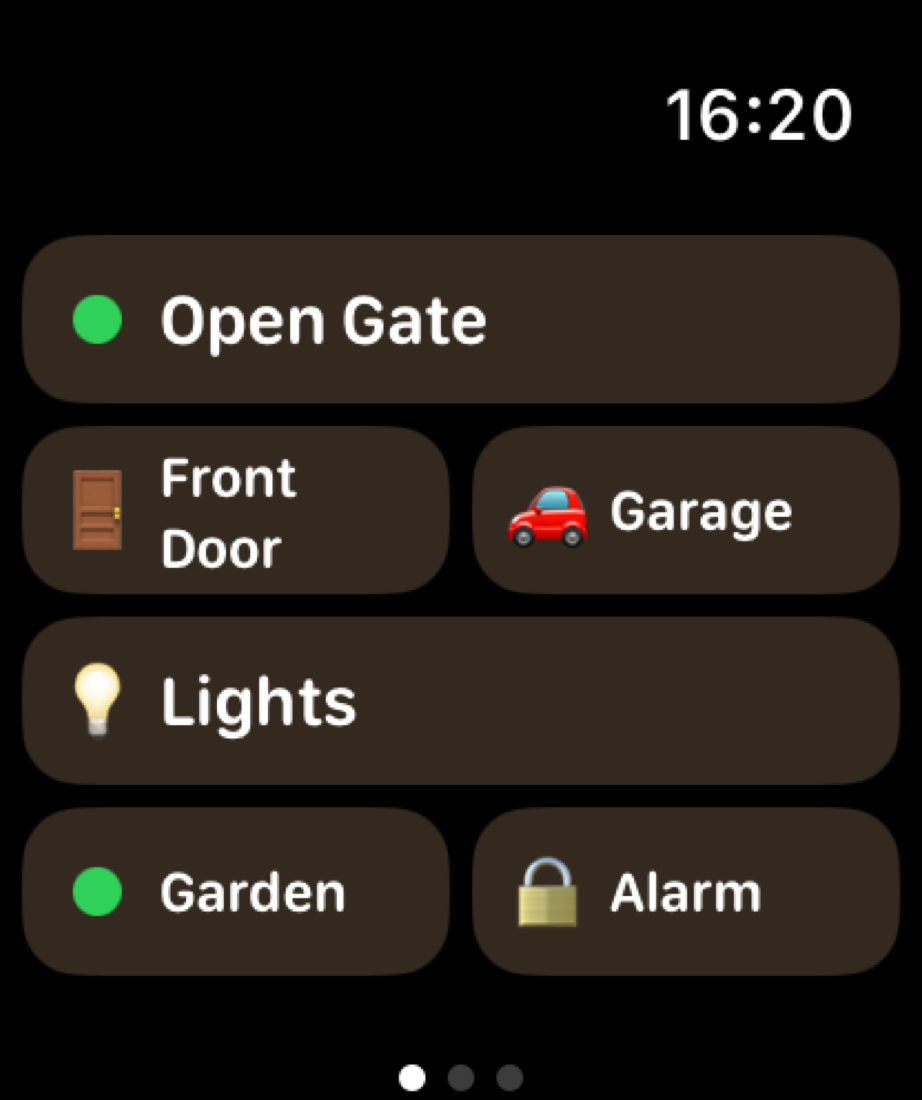
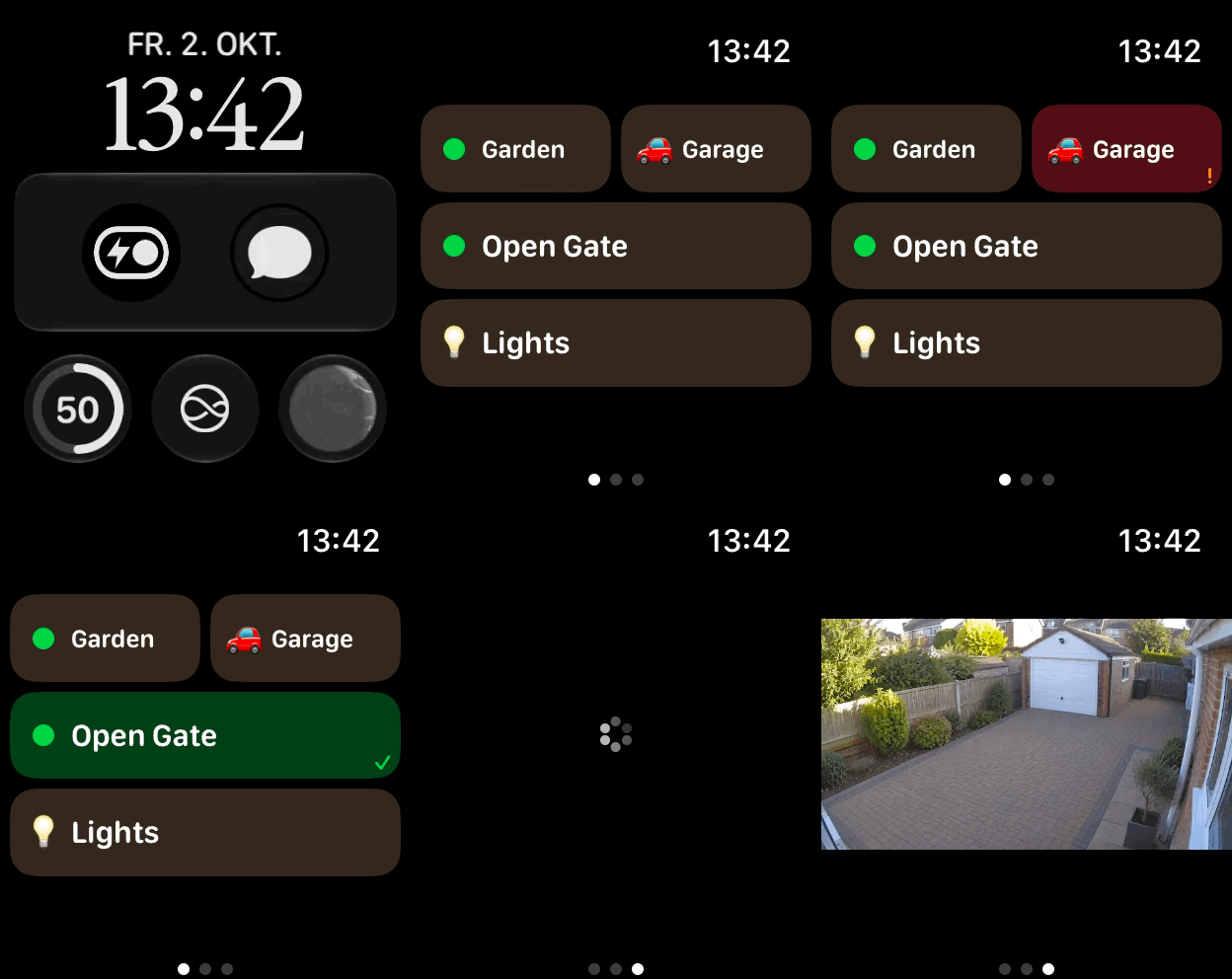
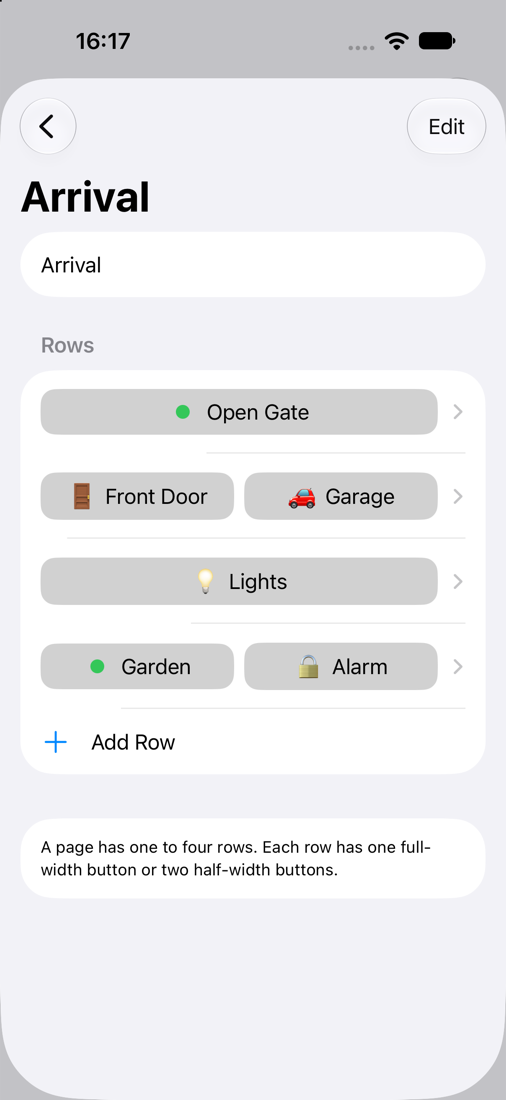
Create fast, configurable actions for your most important automations. Arrange pages with large action buttons and get haptic feedback on your wrist.
Also accessible through Smart Stack widgets and complications.
02 / iPhone widgets
Place your most-used automations where you can reach them. Choose configurable layouts, add multiple widget instances and execute actions without opening the app.
Widget availability and interaction depend on iOS and the device.
03 / Lock Screen
Add selected actions to the iPhone Lock Screen for quick access. iOS requires authentication before an action runs on a locked device.
04 / Companion app
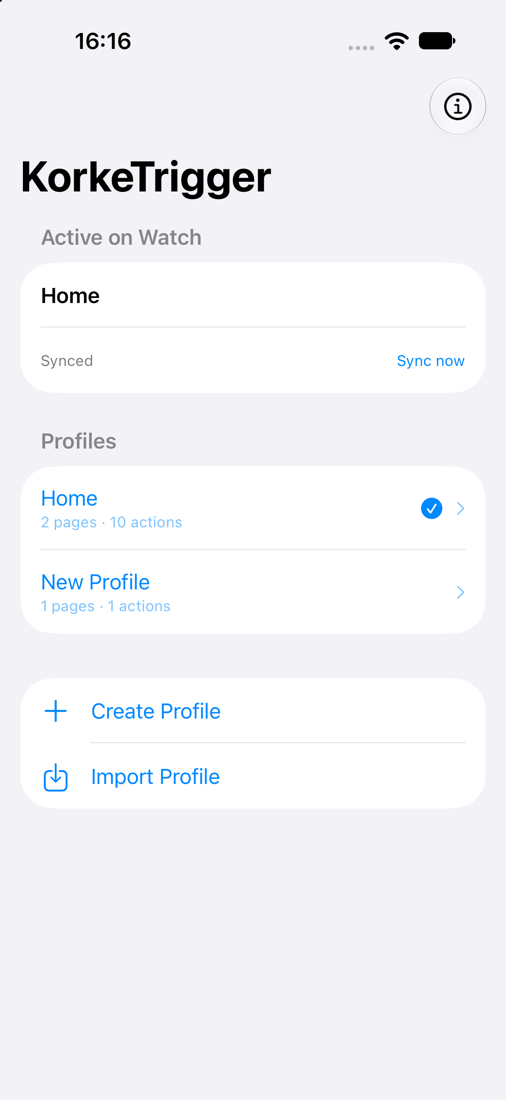
Create profiles, arrange actions, and edit URLs, authentication and indicators. Save your configuration and synchronize the selected profile to Apple Watch.
05 / Local & VPN
KorkeTrigger talks directly to the endpoints you configure. Use local network addresses, HTTPS endpoints or systems reachable through your VPN.
Plain HTTP is supported where your environment requires it. Prefer HTTPS for encrypted connections. Each device needs its own route to the endpoint.
CarPlay widget access
Open Gate. Open Garage. Arrival Mode. Call webhook.
Keep deliberate actions close at hand instead of making them automatic routines. Compatible iPhone widgets may appear in CarPlay where supported by iOS and your vehicle; availability, interaction and authentication are controlled by the system.
Explore CarPlay use casesWorks with your existing setup
If your system exposes an HTTP endpoint, webhook or API reachable from the executing device, KorkeTrigger can usually trigger it. These are examples of compatible HTTP-based setups, not official vendor integrations.
A glance at home
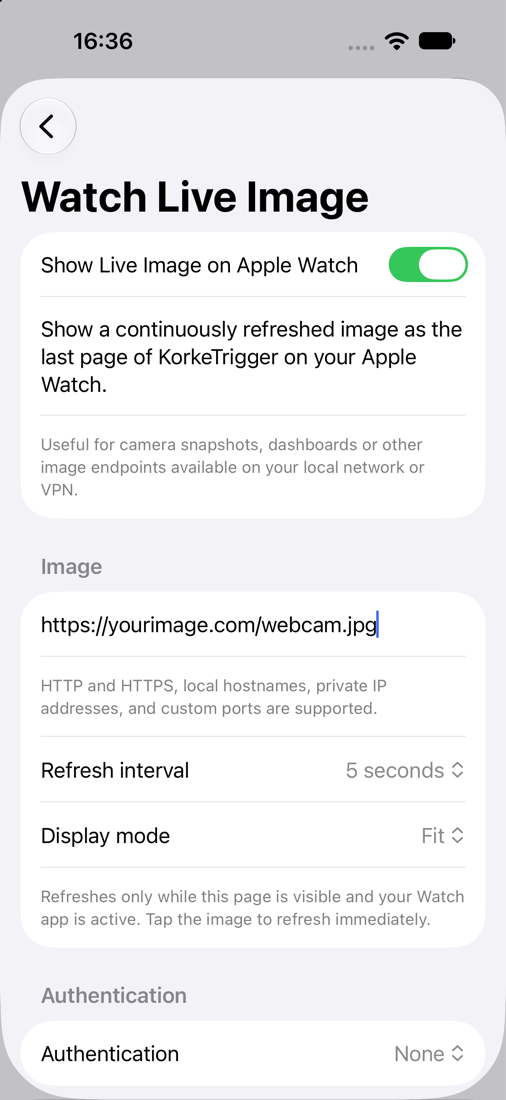
Display a regularly refreshed image as the final page of the Apple Watch app.
Useful for camera snapshots, dashboards or other image endpoints on your network or VPN. Refreshes while the page is visible and the Watch app is active; tap the image to refresh immediately.
Still images refreshed at intervals, not video streaming.
No account. No tracking.
Your profiles. Your endpoints.
The app has no advertising or in-app analytics and does not require an account. Your profiles, URLs and authentication settings are used to connect directly to the endpoints you configure. They are not sent to a KorkeTrigger cloud service.
Read the Privacy PolicyProfiles & sharing
Group actions into profiles and share them with family through the iOS Share Sheet and AirDrop.
Choose “Share without credentials” to remove passwords, custom header values and URL query values from the exported copy. Usernames, field names and request bodies remain, so review the entire profile before sharing it.
A small extra for your setup
Prefer a conversation to filling in fields? Give your AI assistant the KorkeTrigger profile skill and describe the actions you want.
It helps turn your HTTP endpoints into a profile with pages, buttons and optional live image settings. Review the result, import it on iPhone, and make it your own.
The free download includes AI instructions, a format reference, a safe example and an offline validator.
Download the profile skillZIP · Version 1.0 · Profile format 1
An optional tool for your own AI assistant. No AI service is built into KorkeTrigger. Your chosen service has its own data practices. Add credentials locally in the app.
Profile skill helpAcross your Apple devices
From the App Store submission: configure on iPhone, then put your actions on your wrist.
HTTP remote for Apple Watch
KorkeTrigger follows the same useful idea: configure an HTTP endpoint and put a button on your wrist.
It adds an iPhone configuration interface, Home Screen and Lock Screen widgets, Basic authentication, custom headers, profile sharing and support for current Apple devices. It is an independent app, with no affiliation or official integration with iControl Web.
Compare the workflowUnder the surface
Direct requests from the device to the HTTP endpoint you configure.
* CarPlay widget availability depends on iOS and the vehicle. KorkeTrigger does not include a dedicated CarPlay app.
Go deeper
Methods, network reachability and a practical setup path.
Plan deliberate gate, garage and arrival actions with widget limitations in mind.
Find focused guides as they become available.
Start with the endpoints you already use.
Explore support